

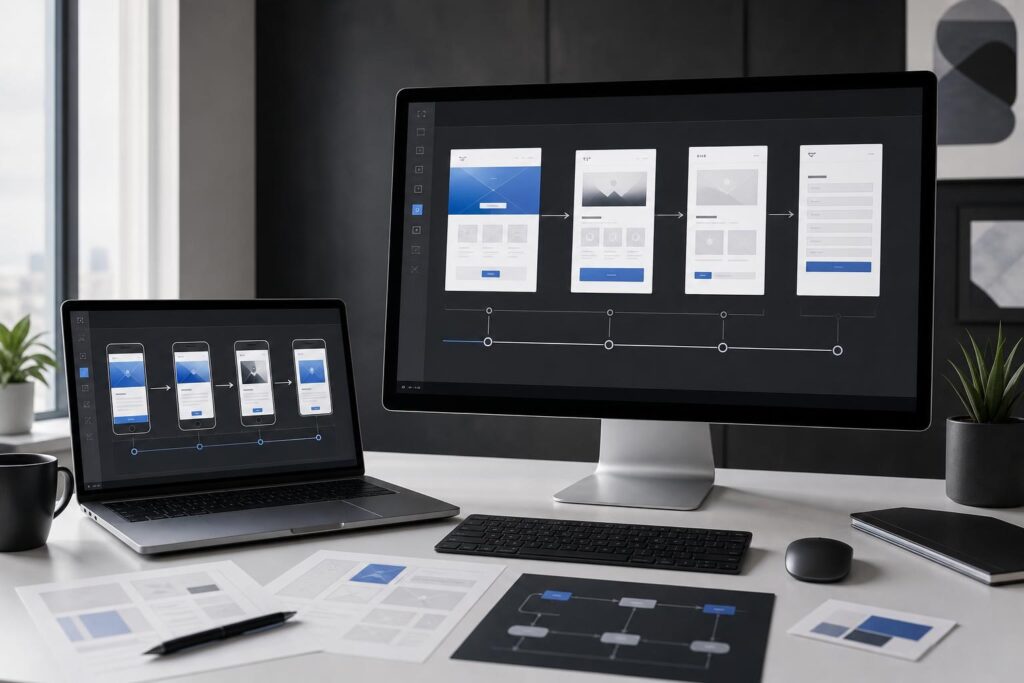
Your website may look dated, but visual age is not always the most expensive problem. The larger risk is a customer journey that makes visitors work too hard to understand the offer, compare options, trust the business or take the next step.
That distinction matters when planning a redesign. A visual refresh can update colors, typography, images and page layouts. A customer-flow redesign changes how people move from their initial question to a meaningful action such as requesting a quote, booking a consultation, starting an order or understanding a software product.
If the underlying flow is weak, putting a polished interface over it can preserve the same friction in a more attractive package. The following website redesign signs can help you decide whether you need new visuals, structural changes or a custom website and product-design engagement.
Visual problems and flow problems require different solutions
A visual problem affects presentation. Examples include inconsistent spacing, weak image quality, dated brand treatments and pages that do not feel cohesive.
A flow problem affects decisions. Visitors may not know which service fits, where to find important details, what happens after they submit a form or which action they should take first. These issues involve information architecture, messaging hierarchy, page sequence, calls to action and sometimes the behavior of the product interface itself.
Many redesigns need both. The key is to diagnose the customer path before choosing a template or approving high-fidelity mockups.
7 signs your redesign needs more than better visuals
1. Navigation reflects your organization, not the customer’s task
Internal teams naturally organize information around departments, product categories or company terminology. Customers tend to arrive with simpler questions: Can you solve my problem? Is this appropriate for my situation? What will I need to do next?
If visitors must understand your internal structure before they can find the right page, the navigation needs more than a new style. It may need to be reorganized around services, use cases, audiences or customer goals.
2. Every page presents several competing next steps
A page can contain multiple useful links without giving every action equal weight. When “Learn more,” “Contact us,” “View services,” “Subscribe,” “Book now” and “Get started” all compete for attention, visitors have to determine the intended sequence themselves.
A stronger flow gives each page a primary job. A service page might move a qualified visitor toward a consultation, while an educational page may first direct them to a relevant service or comparison. The redesign should clarify this hierarchy across the whole site, not merely make the buttons more attractive.
3. Campaign traffic lands on a generic homepage
Someone clicking an ad, email or social post usually arrives with a specific expectation. Sending every campaign to the homepage forces that person to locate the promised offer again.
This is especially costly when different audiences need different context. A real estate firm may serve buyers, sellers and investors. A software startup may speak to end users, team leaders and decision-makers. Purpose-built landing flows can connect each entry point to the right message, proof and action.
4. Forms ask for commitment before the site builds confidence
A short form is not automatically a good form, and a long form is not automatically a bad one. The important question is whether the requested commitment matches the visitor’s level of confidence.
If a professional-services site asks for sensitive project details before explaining its process, or an ecommerce site pushes account creation before clarifying the purchase path, visual polish will not resolve the hesitation. The sequence of information and action needs to change.
5. The mobile experience is a compressed desktop journey
Responsive layouts can make pages fit smaller screens without making the journey easier. On mobile, long introductions, repeated banners, oversized media and buried calls to action create extra effort. Important comparison details may also become difficult to scan.
A customer-flow redesign considers mobile priorities: what must appear first, which choices can be simplified, when supporting details should appear and how a visitor can resume or complete the action comfortably.
6. Sales or support repeatedly explains what the website should clarify
Listen for recurring questions before redesigning. If prospects regularly ask which package applies, whether a service covers their use case, what the process involves or how to begin, the website may be leaving key decision gaps.
Not every question should be eliminated; complex purchases often require a conversation. But the site should prepare people for that conversation. Repeated explanations can reveal missing comparisons, unclear labels, weak FAQs or an absent bridge between research and inquiry.
7. The interface makes sense only after someone demonstrates it
This sign is particularly relevant to SaaS products, AI editors and customer portals. If users need a live explanation to understand the main action, the challenge may involve product design rather than marketing-site design alone.
The issue could be feature hierarchy, onboarding sequence, terminology or feedback after an action. A custom engagement can examine the relationship between the public website and the product experience instead of treating them as disconnected surfaces. Elite UI offers custom website and product design for businesses that need a tailored website, landing page, AI editor, SaaS interface or broader digital product experience.
Map the customer flow before discussing page aesthetics
A useful redesign brief should show how a customer reaches and completes a decision. Start with one high-value journey rather than trying to document every possible click.
- Entry: Where does this visitor come from, and what do they expect to find?
- Orientation: What must they understand within the first meaningful section?
- Evaluation: Which services, features, examples, policies or comparisons help them decide?
- Confidence: What legitimate questions or concerns could stop progress?
- Action: What is the single most appropriate next step?
- Handoff: What happens after the click, submission, booking request or account action?
For a local-service business, the journey might run from a location-specific search to service qualification and a quote request. For a creator, it could move from a portfolio example to a clearly scoped inquiry. For a SaaS startup, it may begin on a use-case page, continue through feature evaluation and end at an appropriate product or sales path.
This map gives designers a decision framework. Without it, redesign discussions often collapse into subjective debates about colors, hero images and which competitor site looks best.
When is custom website and product design the right fit?
Self-serve tools and custom design solve different levels of the problem. An AI Website Builder can be a practical option when the offer is clear, the page structure is relatively standard and the priority is getting a conversion-focused business presence live.
Custom design becomes more relevant when the structure itself needs to be solved. It may be a fit if:
- Your business serves several audiences with different decision paths.
- Your current site cannot clearly connect marketing campaigns to relevant landing experiences.
- You are introducing a new service, SaaS product, AI editor or customer-facing workflow.
- The marketing website and product interface feel disconnected.
- Stakeholders disagree about what users should see or do first.
- A standard template would force your offer into the wrong structure.
- You need to rethink both the message hierarchy and the interface around it.
Custom work is not necessary simply because a business wants an attractive site. It is most valuable when important customer, content and interface decisions need to be resolved together.
Common redesign objections and decision questions
Can we fix only the homepage?
Sometimes. If the homepage is the main source of confusion and the pages behind it already support the intended journey, a focused change may be enough. But a new homepage cannot repair unclear service pages, mismatched landing pages, weak forms or a difficult product interface.
Trace the highest-value path from entry to completion. If friction appears across several steps, isolated homepage work is likely to move the problem rather than solve it.
Do we need final copy and content before involving a designer?
You do not need every sentence finalized, but you should know the core offer, target audience, desired action and essential proof or policy information. Content hierarchy and interface hierarchy influence each other. Waiting until the design is finished to consider the message can produce layouts that do not support the actual buying decision.
Is custom design too early for a new business?
It can be if the offer is still highly uncertain and a simple launch page is enough to test demand. Custom support becomes easier to justify when the customer path is differentiated, the product has a nonstandard interface or the wrong structure would create costly confusion across marketing and sales.
How do we prevent an open-ended redesign?
Define the business journey before defining the number of screens. Identify the primary audience, entry point, decision, action and handoff. Then distinguish must-have flows from later improvements. A clear scope should connect design work to a real customer task rather than an unlimited list of visual preferences.
What to prepare for a productive custom-design inquiry
You can make an initial conversation more useful by gathering a concise redesign brief:
- The business outcome the site or product should support
- The primary audience and the problem they are trying to solve
- The most important conversion or product action
- Current pages, interfaces or workflows that create friction
- Recurring questions heard by sales, support or operations
- Required content, brand assets and technical constraints
- Examples you find useful, plus the specific reason each example works
A redesign should not begin with “make it look modern.” It should begin with a clearer statement: who needs to move through the experience, what decision they must make and what currently gets in their way.
If your website or product needs a new customer flow rather than a surface-level refresh, share that journey with Elite UI and Request a Custom Build.
Ready to Turn This Into a Faster Workflow?
Try Custom Website & Product Design inside Elite UI and move from research into a real business-ready result.
Product features, pricing, plan details and availability may change. Check the current Elite UI product page for the latest information before purchasing or publishing.


































