

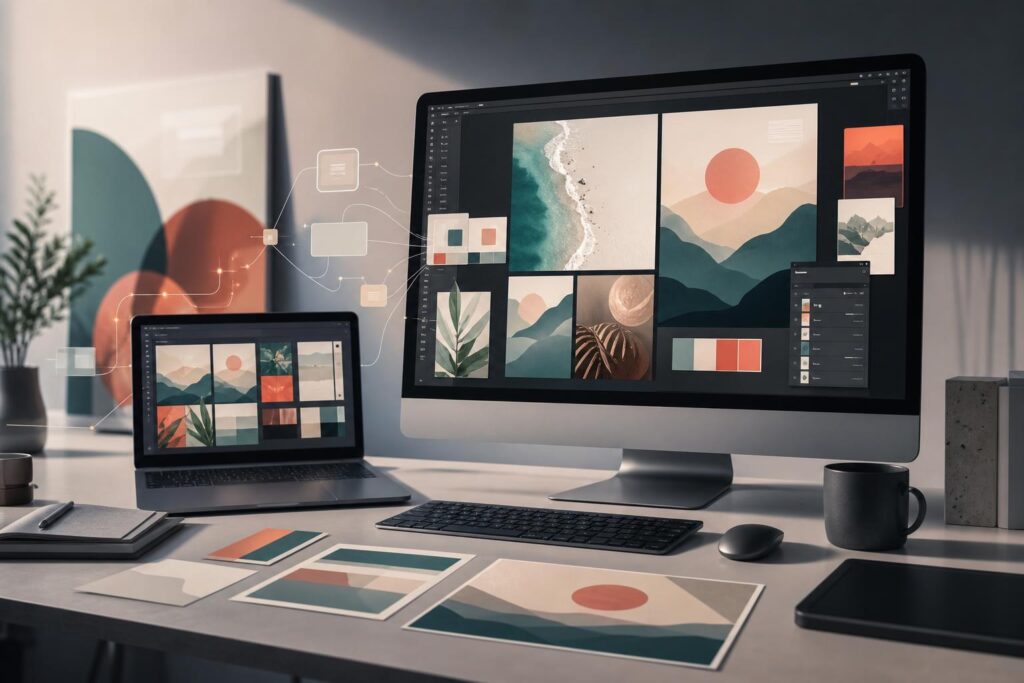
Your homepage uses bright lifestyle photography. Your social posts rely on dark illustrations. Your ads introduce another color palette, while your sales documents look as if they came from a different company.
Each asset may be acceptable on its own, but together they create friction. Visitors must repeatedly work out what belongs to your business, what deserves attention, and whether the experience feels coherent.
Consistent visuals will not fix an unclear offer or weak customer experience. They can, however, make your message easier to recognize, process, and remember. The challenge is maintaining that consistency when a small team needs new website graphics, campaign images, social posts, and presentation assets every week.
A practical AI-assisted workflow can shorten that process without handing every creative decision to automation. The goal is not to generate more images simply because you can. It is to build a repeatable visual system that supports the customer journey.
Why visual consistency matters for conversion
Conversion depends partly on continuity. A person may discover your business through an ad, visit a landing page, read a service guide, and return through a social post before taking action. If every interaction feels disconnected, the visitor receives fewer visual cues that they are still dealing with the same business.
A consistent style helps in three important ways.
Recognition: Repeated colors, compositions, image treatments, and graphic elements give people a faster way to identify your content across channels.
Clarity: A controlled visual hierarchy helps separate primary messages from supporting information. Instead of competing for attention, imagery can guide the eye toward the offer and next step.
Continuity: When an advertisement, landing page, and follow-up document share a visual language, the journey feels less fragmented. That coherence can reduce avoidable uncertainty at important decision points.
Consistency should not be confused with decorating everything identically. It means making deliberate choices that remain recognizable while adapting to different formats and messages.
What a usable visual style actually includes
Many businesses reduce brand consistency to a logo and two colors. Those elements matter, but image style is shaped by a broader set of decisions: lighting, subject matter, camera angle, illustration style, background treatment, contrast, cropping, texture, typography, shapes, and the amount of visual space around the subject.
Before producing assets, write a short visual direction that a marketer, founder, or contractor could follow. It might specify warm natural lighting, uncluttered settings, close-up product details, restrained colors, generous negative space, and minimal graphic effects. It should also state what to avoid, such as busy backgrounds, exaggerated expressions, or unrelated futuristic imagery.
This direction is more useful than a vague instruction to “make it premium.” It creates criteria for selecting, generating, editing, and rejecting images.
If your core identity is still unresolved, establish the foundational direction before scaling content. The AI Logo Generator can help you explore guided brand concepts, but your visual system should eventually extend beyond the logo itself.
A faster AI workflow for consistent brand images
AI is most useful here as part of a controlled production workflow. Elite UI’s AI Image Editor and Image Generator brings image generation together with uploads, stock images, text, shapes, effects, layers, and export tools. That makes it possible to move from an initial visual idea into a more complete business asset without treating generation as the final step.
- Define one job for each image. Decide where the asset will appear and what it needs to communicate. A homepage hero may need to establish context and leave room for a headline. A service graphic may need to make an unfamiliar process feel understandable. A social image may need a stronger focal point at a smaller size. Starting with the placement prevents visually attractive but unusable results.
- Create a compact style brief. Record the recurring visual choices that should remain stable: subject treatment, mood, lighting, background, composition, color behavior, and exclusions. Keep this brief narrow enough to guide production. If it contains every style you like, it will not create consistency.
- Generate a small visual family. Develop related concepts for one campaign or content group rather than creating isolated images one at a time. Keep the important style signals stable while changing the subject or scene. Review the group together so inconsistencies are visible before assets enter multiple channels.
- Edit for business context. Generation is an input, not automatic approval. Combine generated imagery with uploads or stock assets where appropriate, then use text, shapes, effects, and layers to create the required composition. Check whether the image leaves enough space for the message and whether decorative elements compete with the intended action.
- Review the asset in its destination. An image can look polished on a large canvas and still fail on a mobile page or compact social placement. Inspect the crop, focal point, contrast, and relationship to nearby copy. Export only after the image works in the context where customers will see it.
Save the decisions that worked, not just the final files. A simple record of approved visual traits gives the next project a starting point and reduces the tendency to reinvent the style every time.
Use consistency differently across the customer journey
The same visual system can support several stages without making every asset look repetitive.
Awareness assets
Ads and social posts can use stronger contrast or more unusual compositions to earn attention. Keep a few recognizable anchors, such as the color treatment, lighting style, or shape language, so the creative still connects to the business.
Consideration assets
Service pages, product explainers, and comparison content usually benefit from greater clarity. A local-service company might use consistent images showing the environment, process, and expected result. A professional-services firm might favor restrained compositions that support expertise-focused copy rather than overpowering it.
Decision assets
Landing pages and offer pages need imagery that supports the next action. Avoid adding an image merely to fill space. For an ecommerce business, accurate product photography may remain essential, while generated visuals can help establish campaign context around it. For a creator or startup, a cohesive set of concept images can make an early launch feel more intentional while the broader asset library develops.
When the assets are intended for a new or redesigned site, place them inside the page structure rather than reviewing them separately. The AI Website Builder can help create a conversion-focused, mobile-ready website where the imagery, message, and page flow work together.
Common concerns about AI-assisted visual consistency
Will AI-generated images make the brand look generic?
They can if the process begins with broad direction and ends with the first acceptable output. Distinctiveness comes from the choices around the image: a specific audience, relevant setting, controlled composition, repeatable treatment, and thoughtful editing.
It also helps to use different sources intentionally. Real product photography, team images, customer-approved materials, uploaded assets, stock imagery, and generated concepts can play different roles. AI does not need to replace authentic business evidence. It can fill visual gaps and speed up concept development while real-world imagery handles proof.
Do I still need a designer?
Not every recurring asset requires a custom design engagement. A self-serve editor can be a practical fit for founders, marketers, and creators who know the message they need to communicate and want more control over routine production.
A designer remains valuable when you need a complete identity system, original art direction, complex campaign work, or high-stakes creative judgment. AI can reduce production friction, but it does not replace positioning, taste, accessibility review, factual verification, or final approval.
Will a consistent style become repetitive?
Consistency is not sameness. Keep a stable visual foundation while varying the subject, framing, scale, and story. Think of the system as boundaries rather than a single fixed layout. The audience should recognize the business without feeling that it publishes the same image repeatedly.
Is an AI image editor a fit for your workflow?
An AI-assisted editor is likely worth considering if your visual queue is growing faster than your team can handle it, you frequently need campaign concepts, or your assets feel disconnected because they come from too many one-off processes.
- Good fit: founders building launch assets, marketers producing campaign variations, creators maintaining a publishing schedule, service businesses improving website imagery, and small teams that need generation and editing in one workflow.
- Use extra review: assets that depict a specific product, property, person, process, or professional result. Visual accuracy and customer expectations matter more than production speed.
- Consider custom help: full rebrands, highly distinctive art direction, complex product visualization, or projects where several stakeholders need a formal creative system.
The key decision is not whether AI can produce an image. It is whether the tool helps you move from an approved visual direction to usable assets with less switching, fewer disconnected drafts, and more control over the final composition.
Build the system before increasing output
Faster creation only helps when the output stays connected to your brand and customer journey. Start with one campaign or page, define its visual job, generate a related image family, edit the strongest options, and evaluate them in context. Once the direction works, repeat it across the next set of assets.
If inconsistent visuals are slowing your launch or making each campaign feel like a restart, use Elite UI to turn one clear direction into an editable business asset. Create an AI Image.
Ready to Turn This Into a Faster Workflow?
Try AI Image Editor & Image Generator inside Elite UI and move from research into a real business-ready result.
Product features, pricing, plan details and availability may change. Check the current Elite UI product page for the latest information before purchasing or publishing.


































