

A client spots an outdated phone number in a proposal. A manager needs one line changed in a policy. A signed form arrives with a page that must be replaced. None of these jobs should consume an afternoon, yet they often trigger a familiar cycle of downloads, file conversions, renamed copies and repeated emails.
The editing itself may take only a minute. The real cost comes from document friction: finding the correct file, deciding how to change it, identifying the latest version and making sure the right person receives the finished PDF.
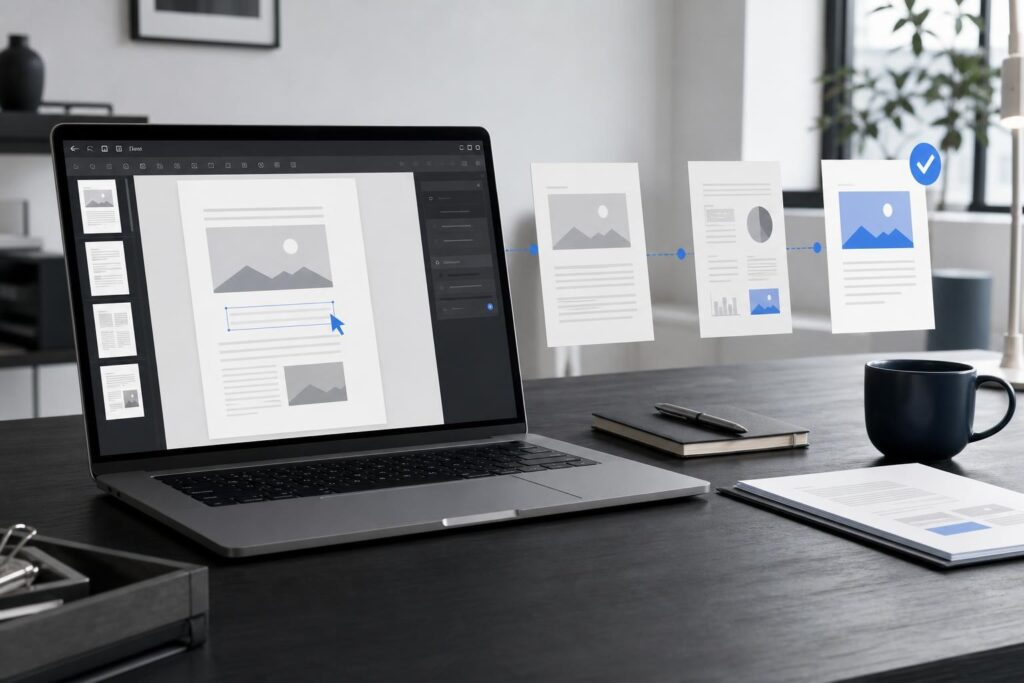
A browser-based PDF editing workflow gives small teams a simpler operating model for routine changes. Instead of improvising every time a document needs attention, you can define one path from request to approved file.
Why routine PDF changes become operational problems
PDFs often sit at the end of a business process. They are the proposals, estimates, service menus, onboarding packets, marketing sheets and internal forms people actually send or archive.
That makes a small PDF correction more consequential than it appears. If the wrong version reaches a customer, the issue can affect pricing conversations, booking instructions or brand credibility. If nobody knows who owns the final file, approval can stall.
The most common friction usually comes from the workflow surrounding the document:
- The original file is stored in an email thread or on one person’s device.
- Team members use inconsistent names such as “final,” “final-new” and “final-2.”
- A simple correction requires reopening the source document and exporting it again.
- Feedback arrives through several channels without one clear decision maker.
- The revised PDF is sent before anyone checks the complete document.
- Old copies remain available and are accidentally reused later.
A better editor helps, but software alone does not solve unclear ownership or version control. The strongest approach combines an accessible editing tool with a short, repeatable process.
A seven-step browser-based PDF editing workflow
This framework is designed for everyday business documents rather than complex publishing or specialized production work. Adapt the approval steps to the importance of the file.
- Start with one approved input. Identify the PDF that is currently valid before making changes. Do not begin from an attachment simply because it is easiest to find. Check the filename, date, document owner and relevant business details.
- Describe the requested outcome. Turn vague feedback into a specific instruction. “Update the proposal” is ambiguous. “Replace the old service address on page two and remove the expired date from page four” is actionable.
- Separate PDF edits from source-level revisions. A contained correction may belong in the PDF workflow. A rewritten section, redesigned layout or frequently changing template may be better handled in the source document before a new PDF is created.
- Make the change in one editing environment. Keeping the active task in a browser-based editor can reduce unnecessary movement among downloads, conversion sites and unrelated applications. For a straightforward path, teams can evaluate the Elite PDF Editor against the specific changes they make most often.
- Review beyond the edited area. Check page order, dates, contact details, totals, visual consistency and any instructions the recipient must follow. A correct sentence does not help if the wrong page remains elsewhere in the file.
- Name the approved output clearly. Use a predictable convention such as document type, customer or project, status and date. The goal is not a perfect naming system; it is making the current file obvious without opening several copies.
- Distribute and archive deliberately. Send the approved version, replace outdated shared copies where appropriate and preserve the source according to your business requirements. Make it clear whether the recipient is reviewing, signing, publishing or storing the document.
Decide what should be edited in the PDF
Not every revision belongs in the final PDF. This decision is one of the easiest ways to prevent repeated work.
Use the PDF workflow for contained corrections
A PDF-centered process is practical when the document is already close to final and the requested change is limited. Examples include correcting a detail in a service sheet, preparing a cleaner client-facing copy, updating a short instruction or handling a final document adjustment before distribution.
For a local-service business, this might mean correcting a contact detail in a customer handout. An agency may need to prepare a proposal for final delivery. A creator might update a downloadable resource, while a professional-services firm may need to clean up a client packet.
Return to the source when the content is still evolving
If several paragraphs need rewriting, the layout must change substantially or the same information will be updated every week, edit the source rather than repeatedly patching exported PDFs. Businesses drafting and revising longer content can consider an AI Document Editor for the writing stage, then create the final PDF when the content is stable.
This separation matters because it gives each file a clear role: the source is where the content evolves, while the PDF is the controlled output used for review, delivery or archiving.
Is Elite PDF Editor a fit for your workflow?
Elite PDF Editor is most relevant when your team wants a simpler route for recurring PDF work without treating every small adjustment like a production project. It may be a practical fit for founders, marketers, creators and service teams that regularly prepare customer-facing or operational PDFs.
Before choosing any editor, identify your actual task pattern. Gather three to five recent examples and ask what had to change, who made the change, how the file was reviewed and where the process slowed down. Then check the live product page for the current details that matter to those examples.
It is likely worth evaluating when your main needs involve everyday PDF edits, a browser-centered workflow and fewer unnecessary handoffs. It may not be the only tool you need if your work depends on advanced publishing, specialized compliance processes, complex source-file design or a deeply customized internal system.
Questions to resolve before moving PDF work into a browser
“Do we still need desktop software?”
Possibly. The answer depends on the complexity of your documents and the work your team performs. A browser editor can be a sensible option for routine changes and accessible workflows, while specialized production jobs may still require dedicated desktop applications. Test the editor with representative files rather than assuming one category must replace the other.
“What about sensitive business or customer documents?”
Document sensitivity should be part of the decision, not an afterthought. Review your internal policies, contractual obligations and applicable requirements before placing confidential information into any tool. Confirm current product information directly rather than assuming security, storage or access characteristics that are not stated.
“Will a new editor solve version confusion?”
Not by itself. A tool can simplify the editing step, but your team still needs one document owner, a naming convention and an approval rule. Without those decisions, a faster editor can simply produce conflicting copies faster.
“What if our document process needs approvals or custom business logic?”
A self-serve editor fits straightforward work. If your process requires a purpose-built interface, role-specific steps or a broader document product, the better route may be discussing a custom document-tool build. Business judgment is still needed to define the workflow, permissions and outcome.
Create a small PDF operating rule for your team
You do not need a long procedure manual. A useful rule can fit into a few sentences: where approved inputs are stored, who is allowed to revise them, how finished files are named and who gives final approval.
For low-risk marketing material, one person may edit and review. For a proposal containing pricing or contractual details, a second reviewer may be appropriate. The level of control should match the consequence of an error.
It also helps to assign one location as the source of truth. Email can remain the delivery channel, but it should not be the only archive. When someone asks for the latest version, the answer should not depend on searching several inboxes.
Turn the next small correction into a workflow test
Do not begin with your most complicated or sensitive document. Choose a routine PDF that needs a real but contained change. Record how long it takes to locate the input, complete the edit, review the output and identify the approved version. The test will reveal whether the editor fits and where your surrounding process still needs attention.
If repetitive downloads, unclear copies and minor revisions are slowing down otherwise simple work, make the next document your pilot. Review the current product details and Open PDF Editor.
Ready to Turn This Into a Faster Workflow?
Try Elite PDF Editor inside Elite UI and move from research into a real business-ready result.
Product features, pricing, plan details and availability may change. Check the current Elite UI product page for the latest information before purchasing or publishing.


































