
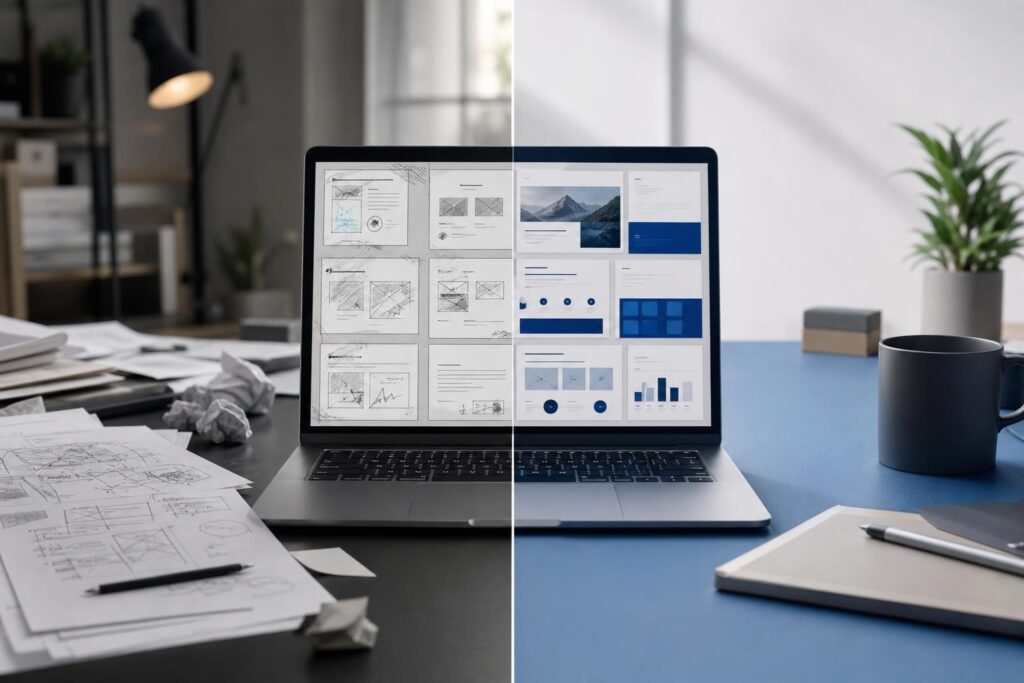
You have checked the scope, refined the price and clarified the next step. Then, just before sending the proposal, you notice three different heading styles, a paragraph stranded on its own page and an old client name hiding in the footer.
Those details may not change the substance of your offer, but they can change how the offer feels. Clients often use the quality of a proposal as a preview of the quality of the working relationship. If the document looks rushed or difficult to follow, they may wonder whether delivery will feel the same way.
This does not mean every proposal needs elaborate graphic design. It means the document should make the decision easy: clear structure, consistent presentation, accurate details and an obvious path forward.
Why proposal formatting affects more than appearance
A client-facing document has two jobs. It must communicate the offer, and it must help the reader feel comfortable acting on it. Formatting supports both jobs by establishing hierarchy and reducing unnecessary effort.
Consider a client comparing two similar service proposals. One is visually consistent and lets them find the scope, timeline, investment and next step quickly. The other contains dense paragraphs, shifting terminology and pricing buried near the end. Even if the second provider is capable, the first proposal may feel easier to approve because it appears more organized.
Good formatting sends several practical signals:
- The business has paid attention to the client’s situation.
- The offer has been organized rather than assembled at the last minute.
- Important terms are less likely to be misunderstood.
- The client knows what to review and what to do next.
- The presentation is consistent with a professional working process.
Formatting cannot rescue a vague offer or unrealistic promise. It can, however, prevent a strong offer from being weakened by avoidable friction.
An eight-point proposal formatting checklist
Review the proposal from the reader’s perspective rather than the author’s. You already know where everything is. The client does not.
- Confirm the first page establishes context. The opening should identify the client, the project or desired outcome and the business sending the proposal. A generic cover page followed by a long company introduction delays the information the client actually needs. Give the document a specific title and make the relevance clear early.
- Create a visible information hierarchy. A reader should be able to scan the headings and understand the proposal’s logic. Use consistent heading levels for sections such as objectives, recommended approach, scope, timeline, investment and next steps. Avoid making every heading equally prominent.
- Break up dense explanation. Large text blocks make even a straightforward proposal feel demanding. Keep paragraphs focused on one idea. When multiple deliverables, phases or responsibilities need to be explained, separate them clearly rather than hiding them inside a long sentence.
- Standardize terminology. If the offer is called a “website redesign” on page one, a “digital refresh” on page three and a “site rebuild” in the pricing section, the client may wonder whether those terms describe different work. Choose one label for each service, phase and deliverable, then use it consistently.
- Make the commercial details easy to locate. Pricing, payment expectations, exclusions and optional services should not require detective work. Formatting should distinguish what is included from what is not. If there are multiple options, keep their structure parallel so the client can compare like with like.
- Check page flow and spacing. Look for headings stranded at the bottom of a page, large unexplained gaps, cramped sections and lists split awkwardly across pages. Consistent spacing helps the reader understand which ideas belong together.
- Verify every personalized detail. Check the client name, company name, contact information, dates, project references and repeated details in headers or footers. Reusing an older document can be efficient, but leftover information is one of the fastest ways to make a tailored proposal feel recycled.
- End with one unmistakable next step. Tell the reader what happens if they want to proceed. Depending on your process, that might be confirming the selected option, replying with questions or scheduling a review. Do not let the proposal fade out after the pricing section.
Use a content pass and a formatting pass
Trying to rewrite sentences, verify facts and fix page presentation simultaneously makes errors easier to miss. A better workflow separates the work into distinct passes.
Pass one: confirm the decision logic
Read only for substance. Does the proposal reflect the client’s stated problem? Is the recommended approach understandable? Are deliverables specific enough to evaluate? Are responsibilities, exclusions and next steps clear?
This is also the time to remove internal language that a client may not understand. A professional-services firm may know exactly what “discovery and enablement” means internally, while the buyer may need a direct explanation of the activities and outputs.
Pass two: tighten the writing
Look for repetition, indirect phrasing and long introductions that delay the recommendation. Make each section earn its place. This is where the Elite UI AI Document Editor can help you draft missing sections, rewrite unclear passages, polish business language and format the content into a more consistent document.
AI-assisted rewriting works best when you preserve the facts and use judgment. Confirm all prices, dates, terms, claims and client-specific details yourself. The goal is not to make the proposal sound artificially elaborate. It is to make your real offer easier to understand.
Pass three: audit visual consistency
Now ignore the argument and inspect the document as an object. Compare heading sizes, paragraph spacing, list styles, capitalization, alignment and repeated elements. Zoom out enough to notice page balance, then return to normal view to assess readability.
Pass four: perform a client-view review
Read the proposal on the type of screen the recipient is likely to use, including a smaller display when practical. Ask whether a busy decision-maker could find the problem, recommendation, price and next step in a few moments.
If the material is already finalized as a PDF and the remaining task is editing that file rather than revising the source document, the Elite PDF Editor may be the more relevant workflow. For drafting, rewriting and polishing the business content itself, keep the work in the document editor until the message is settled.
Formatting choices for different business proposals
The right structure depends on what the client is buying. Consistency matters across industries, but the information hierarchy should reflect the decision.
Local service businesses should make the work area, service scope, timing assumptions and customer responsibilities easy to find. Avoid burying exclusions in general descriptions.
Agencies and consultants often need to distinguish activities from deliverables. A strategy session is an activity; a documented plan may be the deliverable. Formatting should make that distinction visible.
Creators and freelancers may benefit from a concise proposal that emphasizes outputs, revision boundaries, usage expectations and milestones. A short document is not less professional when it answers the important questions.
Startups and small teams may need proposals that can be reviewed by several stakeholders. Clear section headings and consistent terms help prevent each person from interpreting the scope differently.
Real estate and property services should prioritize the property, service period, included activities, fees and action required from the client. Decorative pages should not make those facts harder to find.
Is an AI document editor the right fit?
An AI document editor is a practical fit when you have useful information but struggle to turn it into polished client-facing writing. It can also help when an older proposal needs to be adapted, a rough draft has inconsistent tone or several contributors have created a document that no longer reads as one coherent piece.
It may be especially useful if:
- You repeatedly send proposals, briefs, service overviews or client updates.
- Your draft is accurate but too long, uneven or difficult to scan.
- You want help improving wording without starting from a blank page.
- You need a cleaner structure before conducting the final business review.
It is not a substitute for knowing what you sell, confirming commercial terms or approving the final document. Highly customized brand systems, complex layouts or important legal language may still require specialist review.
Common concerns before using AI on a proposal
Will the writing sound generic?
It can if the source material is generic. Start with specific facts: the client’s situation, desired outcome, agreed scope, constraints and next step. Then use rewriting to improve clarity rather than asking for empty sales language. Remove any phrase that could apply unchanged to almost any business.
Can better formatting fix a weak proposal?
No. Presentation can reveal the logic of an offer, but it cannot invent a compelling reason to buy. If the scope is vague, the price is unexplained or the next step is missing, resolve those issues before polishing the layout.
Should every proposal look highly designed?
No. For many small businesses, restraint builds more confidence than decoration. A consistent type hierarchy, readable spacing and clear section order often matter more than elaborate visual elements. The design should support the decision instead of competing with it.
Run the audit before the client does
Your client will notice the proposal’s structure whether or not they consciously describe it as formatting. They will feel the difference between a document that guides them and one that makes them work.
Complete the content, writing, formatting and client-view passes before sending. If your current draft needs clearer language or a more consistent structure, Open AI Doc Editor and turn the rough version into a client-ready business document.
Ready to Turn This Into a Faster Workflow?
Try AI Document Editor inside Elite UI and move from research into a real business-ready result.
Product features, pricing, plan details and availability may change. Check the current Elite UI product page for the latest information before purchasing or publishing.