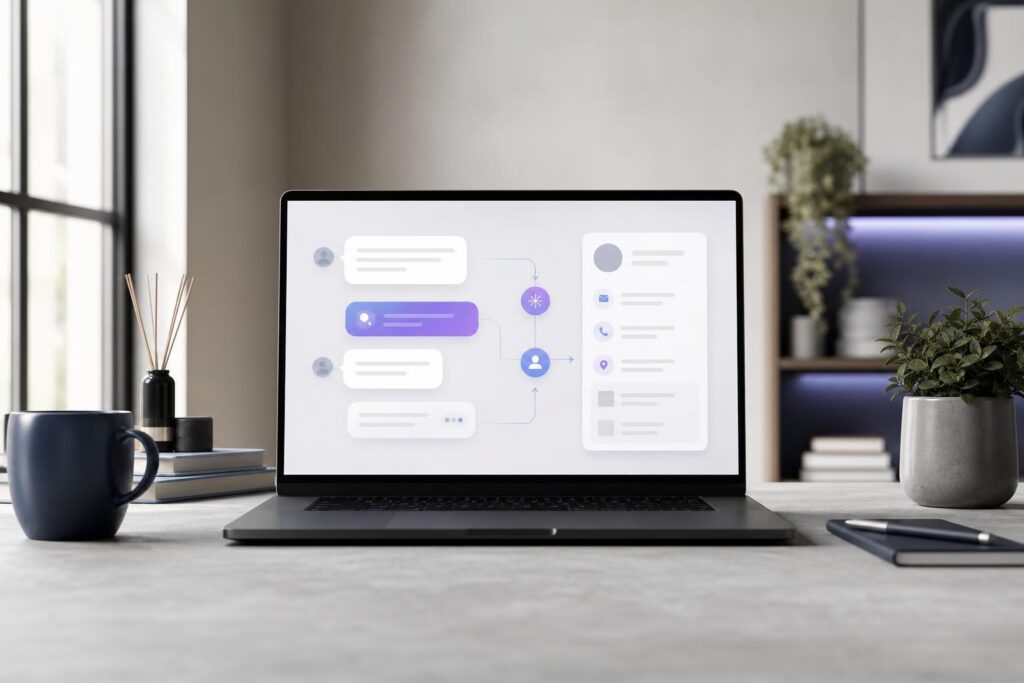
A potential customer has landed on your website with a question. They may want a price range, need to confirm that you offer a particular service or simply want to know whether their situation is a fit.
If your website bot immediately requests a name, email address, phone number, location, budget and project description, that visitor may leave before receiving any value. If it asks almost nothing, your team receives a vague lead that still requires several messages to understand.
The right approach sits between those extremes. An effective AI lead-capture conversation gives the visitor useful guidance while collecting the minimum information your team needs to continue. Here is how to design that flow deliberately.
Start with the decision the conversation needs to support
Before writing individual questions, define what should happen after the conversation. “Capture more leads” is too broad. A more useful goal might be:
- Determine which service the visitor needs.
- Confirm whether the request falls within the business’s service area.
- Collect enough project context for a relevant follow-up.
- Explain a policy before inviting the visitor to take the next step.
- Help the visitor understand how the booking or consultation process works.
This decision shapes what the bot needs to ask. A local repair company may need the service type, location and urgency. A creative agency may need the project category, broad scope and desired timing. A professional-services firm may first need to identify the subject of the inquiry before requesting contact details.
Do not collect information simply because it might be useful someday. Every additional question creates another opportunity for abandonment.
Use the minimum-useful-information test
For each proposed question, ask: Will the answer change the guidance, qualification or next step?
If the answer is no, remove the question from the initial conversation or make it optional. A lead-capture flow is not an intake form, onboarding questionnaire and sales discovery call combined into one experience.
Most early conversations need three types of information:
- Intent: What is the visitor trying to accomplish?
- Context: What fact would materially affect the response or next step?
- Contact: How should the business follow up if follow-up is requested?
Everything else should earn its place. For example, an approximate timeline may matter to an event vendor but not to a business answering a straightforward product-policy question. A street address may be premature when a postal code or general service area is enough.
Give value before asking for contact details
Visitors are more willing to continue when the conversation first demonstrates relevance. Instead of opening with “What is your email?”, begin with the customer’s reason for visiting.
A practical opening might offer a small set of common paths, such as asking about a service, checking whether a request is a fit, understanding pricing or learning about booking steps. A free-text option can remain available for inquiries that do not match those paths.
Once the bot understands the intent, it can provide an appropriate answer based on the business information it has been trained on. It can then request contact information if a quote, consultation or team response is the logical next step.
This value-first structure is central to a useful AI customer-service and lead-capture bot. Elite UI can train a bot around a business’s services, pricing, FAQs, policies and booking steps so the conversation reflects what customers actually need to know.
Ask one clear question at a time
A long block of questions feels like a form even when it appears inside a chat window. Keep the interaction conversational by asking one focused question, using the answer and then progressing to the next relevant point.
Compare these two approaches:
Please provide your name, email, phone number, service needed, budget, location and preferred appointment time.
Versus:
What type of help are you looking for?
The second version gives the visitor an obvious starting point. After they answer, the conversation can ask only the questions relevant to that request.
Keep question wording plain and specific. “Tell us about your needs” often produces either no response or an unfocused paragraph. “Which service are you interested in?” or “What would you like to improve?” provides more direction without forcing the visitor through an exhaustive questionnaire.
Build the conversation in layers
A well-structured flow usually progresses through four layers.
1. Identify the visitor’s intent
Start with the reason for the conversation. Common choices can help visitors move quickly, but the categories should use customer language rather than internal department names.
2. Ask the most important qualifying question
Choose the one answer that most affects fit or next steps. This might be the service category, general location, project stage, order issue or desired timeline.
3. Resolve what can be resolved
If the business has a clear FAQ, policy, service detail or booking step that addresses the question, provide it. The bot should not withhold a basic answer merely to collect an email address.
4. Capture details for a defined follow-up
When human input is needed, state what will happen next before requesting contact information. “Share your email so the team can review your project details” is clearer than “Enter your information.” Do not promise a response time unless the business has an established commitment it can consistently meet.
A simple lead-capture conversation blueprint
Consider a visitor contacting a local home-service business. The conversation could follow this structure:
- Ask what service or problem brought the visitor to the site.
- Confirm whether the business handles that category of work.
- Ask for the general service location if coverage depends on geography.
- Ask whether the issue is urgent, time-sensitive or flexible.
- Answer a relevant pricing, policy or process question when approved information is available.
- Invite the visitor to provide a name and preferred contact method for follow-up.
- Summarize the submitted details and explain the next step.
An agency could adapt the same pattern by replacing location and urgency with project type and target timing. A real estate professional might use property type and the visitor’s stage in the process. The structure remains stable while the questions reflect the business.
Design for uncertainty, not just the ideal path
Real customers do not always follow the expected script. They change topics, give incomplete answers or ask questions that fall outside the prepared material.
Plan what the conversation should do when it does not have enough information. It can ask a clarifying question, acknowledge that the request needs human review or collect contact details for follow-up. It should not improvise business policies, prices or promises.
This is also why the bot’s source material matters. Review service descriptions, current pricing guidance, FAQs, policies and booking instructions before training the conversation. If those materials conflict, the bot flow cannot resolve the underlying business ambiguity. Teams rebuilding the surrounding customer journey can also use an AI Website Builder to create a clearer, mobile-ready website around the conversation.
Address the objections customers and teams actually have
Will customers answer questions from a bot?
Some will, particularly when the conversation is transparent, relevant and faster than searching through multiple pages. Others will prefer a person. Avoid pretending that the bot is human, and provide a reasonable route for inquiries that need staff judgment. The objective is not to force every visitor through automation; it is to reduce avoidable friction.
Will fewer questions produce low-quality leads?
Not if the remaining questions are chosen carefully. Five generic fields can produce less useful context than two questions tied to fit. Capture what changes the next action, then leave detailed discovery for the appropriate stage.
What about sensitive or unnecessary information?
Do not request confidential, regulated or highly personal details merely for convenience. Collect only what the business genuinely needs for the stated next step, and involve appropriate legal or compliance guidance when the conversation touches regulated information.
Is an AI lead-capture bot a fit for your business?
A trained bot is worth considering when your website receives recurring questions, visitors arrive outside staffed hours, inquiries often lack essential context or team members repeatedly explain the same services and policies.
It may be less useful when every inquiry requires immediate expert judgment, your service information changes constantly without a clear update process or the team has not agreed on basic qualification and follow-up rules. In those cases, fix the operating process first.
The bot should support the team rather than replace business judgment. Staff still need to handle exceptions, nuanced recommendations, sensitive situations and relationship-based sales conversations.
Review the flow using real customer language
Before publishing, test the conversation with several realistic scenarios: a ready-to-buy lead, an early researcher, an existing customer, an out-of-scope request and a visitor who gives an unclear answer. Look for repeated questions, dead ends, unnecessary fields and moments when the bot requests contact details without first earning them.
After launch, review where conversations become unhelpful and which questions repeatedly require staff clarification. The strongest flow is not the one with the most branches. It is the one that helps a visitor understand the next step while giving your team enough context to respond well.
If slow replies or incomplete inquiries are costing your business opportunities, Elite UI can help you shape a bot around your actual services, pricing, FAQs, policies and booking process. Request an AI Bot.
Ready to Turn This Into a Faster Workflow?
Try AI Customer Service Bot inside Elite UI and move from research into a real business-ready result.
Product features, pricing, plan details and availability may change. Check the current Elite UI product page for the latest information before purchasing or publishing.