

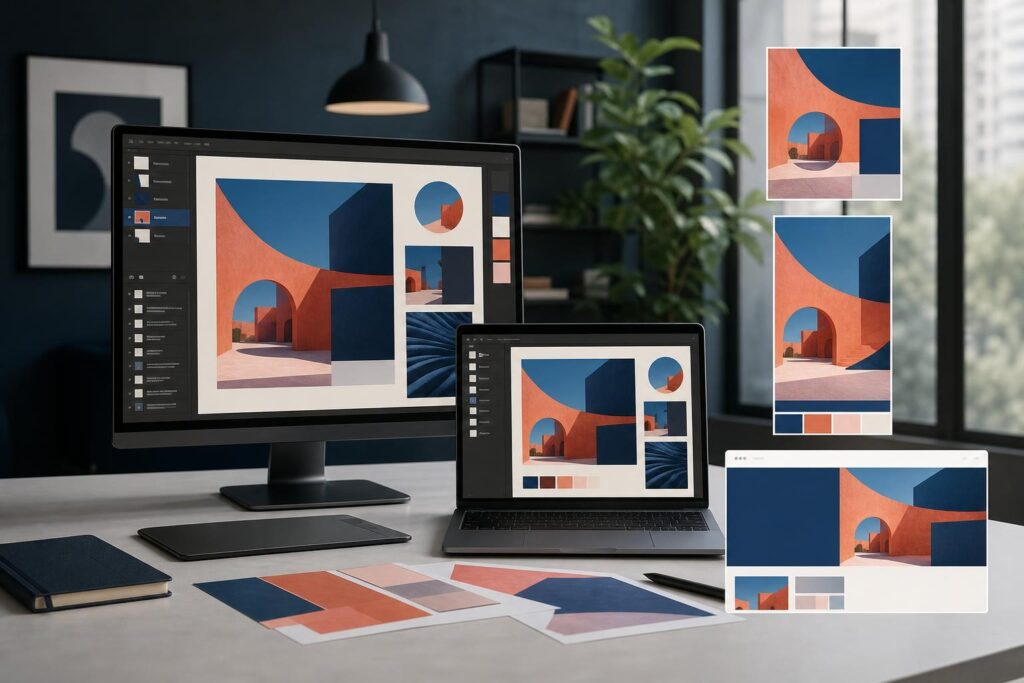
You have one strong campaign idea, but it needs to appear in six social posts, three ads, a homepage banner and a landing-page section. What looked like one creative task quickly becomes a pile of separate design decisions.
The problem is not simply producing more images. Each visual must feel like part of the same campaign while doing a different job. A social post may need to stop the scroll, an ad must make its offer clear quickly, and a website hero has to support a headline without overwhelming it.
A better approach is to build a small campaign visual system: one concept, one recognizable creative direction and several channel-specific compositions. An AI image editor can reduce the friction between the initial idea and those finished assets without removing the need for brand judgment.
Why one campaign image rarely works everywhere
Reusing the exact same image across every channel sounds efficient, but it often creates awkward results. A wide website banner may lose its subject when placed into a vertical social format. Text that is readable on a landing page may become too small inside an ad. A visually rich social post may compete with the headline and call to action on your website.
Every placement has its own viewing context. People scroll through social feeds, scan ads quickly and spend more time interpreting a website page. The visual hierarchy should change accordingly, even when the central idea stays consistent.
The goal is therefore not to make identical assets. It is to make assets that are clearly related. Shared colors, subjects, lighting, graphic elements and image treatment can establish that connection while leaving room for different crops and messages.
Start with a campaign brief that separates fixed and flexible elements
Before generating or editing an image, write down what must remain consistent. This prevents each variation from drifting into an unrelated creative direction.
Your fixed elements might include the campaign theme, audience, offer, emotional tone, primary color family and one recurring visual motif. Your flexible elements can include the crop, headline, supporting shapes, amount of detail and placement of the main subject.
For example, a home-cleaning business promoting a seasonal refresh might keep bright natural light, an orderly interior and a fresh blue accent across the campaign. The social version could show more of the room, the ad could focus tightly on the clean result, and the website banner could position the subject away from the area reserved for the headline.
This brief does not have to be long. A few clear constraints usually provide more direction than a vague request to make something “on brand.” If your visual identity is still unresolved, an AI Logo Generator can help you explore an initial brand concept before you build campaign assets around it.
A seven-step workflow for turning one idea into multiple visuals
- Define the campaign’s single message. Decide what the audience should understand or do after seeing the campaign. Avoid trying to communicate every feature, benefit and proof point in one visual.
- Choose a repeatable visual concept. Identify a subject, setting or graphic treatment that can work in horizontal, square and vertical compositions. Concepts with some open space around the focal point are generally easier to adapt.
- Create or collect source material. Generate a visual direction, upload an existing product or brand image, or select appropriate stock imagery. The source should be strong enough to anchor the entire campaign.
- Build a master composition. Combine the primary image with carefully chosen text, shapes and effects. Use layers to keep the components organized and easier to reposition as the format changes.
- Adapt the composition by channel. Rework the hierarchy for each placement instead of applying a blind crop. Check the current specifications of the platforms where the assets will appear.
- Review the campaign as a set. Place the finished variations side by side. They should share an obvious visual language without looking mechanically identical.
- Export and label each asset clearly. Use descriptive filenames that identify the campaign, channel and variation. This helps prevent the wrong creative from being uploaded later.
The Elite UI AI Image Editor and Image Generator brings image generation, uploads, stock images, text, shapes, effects, layers and export tools into one creative workspace. That combination is useful when a campaign needs both original visual concepts and practical editing rather than a generated image that still has to be finished somewhere else.
Adapt the visual to the job of each channel
Social posts: earn attention and recognition
Organic social visuals often have to communicate before someone reads the caption. Prioritize a clear focal point, recognizable campaign treatment and enough contrast to remain understandable on a small screen.
Do not force the entire offer into the image. A short message or visual hook can introduce the campaign while the caption provides context. Across a series of posts, vary the subject or crop while retaining the same color treatment, shapes or stylistic cues.
Ads: make the offer easy to process
An ad has less room for ambiguity. The relationship between the visual, offer and next action should be immediate. Remove decorative details that compete with the product, service or outcome being promoted.
Create multiple meaningful concepts rather than tiny cosmetic variations. One ad might emphasize the product, another the desired outcome and another the use context. This gives you genuinely different angles to evaluate without abandoning campaign consistency.
Website visuals: support the page instead of taking it over
A website visual works alongside headlines, body copy, buttons and navigation. It should guide attention rather than become a separate poster embedded in the page.
Plan negative space intentionally. If the headline appears on the left, position the visual emphasis toward the right when the composition allows it. Also review how the image behaves on mobile, where a wide scene may need a more focused alternative.
If the campaign leads to a new page, you can carry the finished visual direction into an AI Website Builder workflow and create a more coherent path from the first campaign impression to the website experience.
Use a consistency check before publishing
Visual consistency is not just a matter of using the same color. Review the complete campaign against five practical questions:
- Does the main subject look and feel related across every placement?
- Are colors, lighting and effects consistent enough to signal one campaign?
- Is text readable at the size in which people will actually see it?
- Does each composition leave enough room for platform or website interface elements?
- Is the offer represented accurately, without generated details that could mislead the audience?
The final question is especially important for products, properties and professional services. Generated imagery can establish a mood or concept, but it should not invent a product feature, property condition or service result that the business cannot support.
What this workflow looks like for different businesses
For an ecommerce launch, the fixed element might be the product and a bold color treatment. Social posts can introduce the mood, ads can focus on the product and offer, and the website visual can leave room for product copy and a purchase action.
For a local service promotion, the campaign can revolve around a recognizable customer problem and the desired result. A social post might use a broader lifestyle scene, while an ad simplifies the composition around the service category. The website version should reinforce trust and support the booking message.
For a creator or consultant, a recurring background style, portrait treatment and set of graphic shapes can unify educational posts, promotional ads and a lead-generation page. The message can change without making every asset feel like a new brand.
For a startup, one visual metaphor can explain an unfamiliar idea across launch posts and website sections. The team can adapt the level of detail based on how much context the audience has in each channel.
Common objections before using an AI image editor
“Will the visuals look generic?”
They can if the process begins and ends with the first generated result. Stronger work comes from providing a specific campaign direction and then editing the output with your own text, uploaded assets, shapes, layers and effects. Treat generation as source material, not an automatic final answer.
Originality also comes from the campaign idea. A generic concept will remain generic regardless of the tool, while a relevant audience insight gives the visual a stronger foundation.
“Can I keep the campaign consistent?”
Consistency still requires deliberate choices. Establish your fixed elements before creating variations, keep a reference of the approved direction and compare every asset as a group. An editor can make the production process more manageable, but it cannot decide which details are essential to your brand.
“Can I use every generated or stock image commercially?”
Usage rights matter. Review the current terms and any applicable stock-image conditions before publishing an asset, particularly for paid campaigns, packaging or client work. Also check visuals for trademarks, identifiable people and other elements that may require additional consideration.
Is an AI image editor a good fit for your campaign?
This workflow is a strong fit when you have a clear offer but need to create coordinated assets without moving between several disconnected creative tools. It is also useful when a founder, marketer or creator wants more control than a one-step image generator provides.
It may be less suitable when the campaign requires complex original illustration, exact product rendering, regulated creative review or a fully developed visual identity. In those situations, a professional designer or custom creative team can provide deeper art direction and production oversight.
The practical middle ground is to use self-serve tools for concept development, routine variations and day-to-day campaign production, while bringing in specialist help for high-stakes brand systems or technically demanding work.
Build the system before you build every asset
Turning one campaign idea into many visuals becomes easier when you stop treating each placement as an unrelated design request. Define the fixed elements, create a flexible master direction and adapt the hierarchy to the job of each channel.
Start with your campaign message, choose one visual concept and use Elite UI to generate and edit the first direction. When you are ready to move from idea to a coordinated asset set, Create an AI Image.
Ready to Turn This Into a Faster Workflow?
Try AI Image Editor & Image Generator inside Elite UI and move from research into a real business-ready result.
Product features, pricing, plan details and availability may change. Check the current Elite UI product page for the latest information before purchasing or publishing.


































