

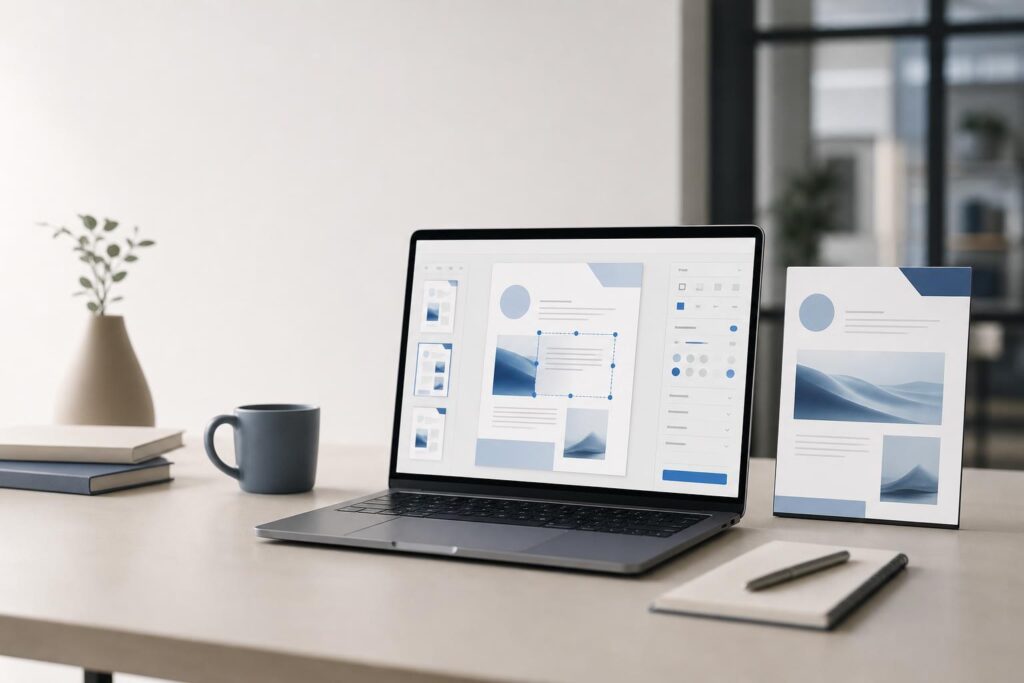
A PDF change that should take two minutes can easily become a chain of downloads, conversions, formatting fixes and email attachments. The problem is rarely the document alone. It is the workflow surrounding it.
Choosing an online PDF editor for everyday business work therefore requires more than asking whether a tool can open a file. You need to know whether it fits the documents you actually handle, preserves acceptable output quality and makes the next step easier for you or your team.
The following checklist is designed for founders, marketers, creators, local-service owners and small teams comparing PDF tools. Rather than chasing the longest feature list, use it to identify the editor that removes friction from your most common tasks.
Start with the PDF job you repeat most often
Before comparing tools, identify the task that sends you looking for a PDF editor in the first place. A general requirement such as “edit PDFs” is too broad to guide a useful decision.
A real workflow is more specific. A local contractor may need to update a service document before sending it to a prospect. A consultant may need to revise a client-facing proposal. A property manager may need to prepare an information packet, while a creator may need to clean up a downloadable resource.
Write down the starting file, the change you need to make and what happens after export. That simple sequence gives you a realistic test case:
- Open one representative business PDF.
- Complete the change you make most frequently.
- Export or save the result using the available workflow.
- Open the finished file again and inspect it.
- Send it through the same handoff your business normally uses.
A polished homepage cannot tell you whether a tool fits that sequence. Testing a familiar document can.
1. Does it support the work you need without unnecessary complexity?
The best editor is not automatically the one with the most controls. Additional options can help with advanced document production, but they can also slow down a person who only needs a clean way to make routine updates.
Separate your requirements into three groups: tasks you perform weekly, tasks you perform occasionally and features that merely sound useful. Prioritize the first group. An editor that makes a frequent five-step process clearer can be more valuable than one built around capabilities your business never uses.
2. Can it open a representative file cleanly?
PDFs can contain different combinations of text, images, graphics, pages and layout elements. Do not assume that success with one simple file guarantees the same result with every document your business handles.
Test a realistic file rather than a blank sample. Look for shifted elements, substituted typography, missing imagery, unexpected page changes or anything else that could make the document less credible when a customer opens it.
If your PDFs originate from several vendors or applications, test examples from more than one source. The goal is not to manufacture an edge case. It is to learn whether the editor works with your normal inputs.
3. Is the editing experience understandable without a long setup process?
An everyday business tool should help users recognize where to begin, what they are changing and how to finish. If a routine update requires repeated searching or experimentation, the workflow may remain expensive even if the software technically completes the task.
During your test, notice how confidently you can move through the editor. Can you locate the relevant controls? Can you tell which part of the document is active? Is the path to the finished file clear?
Once you have established your task and evaluation criteria, open the Elite PDF Editor and run the same representative document through it. Testing your own workflow is the most reliable way to decide whether it gives you the simpler path you need.
4. Does the exported PDF still look professional?
The final file matters more than the editing screen. A document may appear acceptable inside an editor but reveal problems after it has been saved, downloaded or opened elsewhere.
Review the finished PDF at normal size and at higher zoom. Check page order, margins, alignment, image clarity and any customer-facing details. If the document will be viewed on both laptops and phones, inspect it on both. For a file intended for printing, include a print-oriented review in your normal approval process.
This is especially important for proposals, price sheets, onboarding materials and downloadable resources. Small visual errors can distract from the information and create avoidable questions.
5. Does it reduce steps across the complete workflow?
A tool can feel fast while editing and still create friction before or after the change. Count the whole process: finding the source file, opening it, making the update, producing the final version, checking it and sharing it.
Watch for duplicate downloads, unclear versions and unnecessary conversions. If users still have to move among several applications to finish a common task, determine whether that complexity is essential or simply inherited from an old process.
A shorter workflow should also make ownership clearer. Someone should know which file is current, who reviews it and where the approved output goes.
6. Are file handling and business policies clear enough for your documents?
Convenience is only one part of the buying decision. Businesses may handle PDFs containing customer details, internal financial information, contract terms or other sensitive material.
Before using any online editor for those files, review its current policies and product information. Ask how the service handles uploaded documents, what controls are available and whether its stated practices match your organization’s requirements. Do not infer protections from the appearance of the interface.
If your company has legal, regulatory or client-specific obligations, involve the appropriate decision-maker before uploading protected documents. A workflow tool should fit your document policy, not bypass it.
7. Can other users follow the process consistently?
A solo founder may choose a tool based on personal speed. A team needs to consider repeatability. If two employees receive the same source PDF, can they follow the same steps and produce a consistent result?
Try explaining the workflow without giving a full software tour. A practical process might be summarized as: select the approved source, make only the requested change, export the new version, inspect it and place it in the designated location.
If that handoff becomes difficult, the issue may be the tool, the process or both. Standardizing file names and approval steps can improve consistency even when the editor itself is straightforward.
8. Does the tool match the difference between PDF editing and document creation?
Not every document problem begins with a PDF. Sometimes the real task is drafting or restructuring content before it becomes a final file. Trying to force a PDF editor to act as a complete writing environment can create more work than it removes.
Use a PDF editor when the PDF itself is the practical object you need to work with. If the job begins with a blank page, a rough draft or substantial rewriting, an AI Document Editor may be the more natural starting point. The right boundary between tools keeps each stage of the workflow focused.
9. Can the workflow grow without becoming a patchwork?
Your current need may be simple, but it is worth considering what happens when volume, document types or approval requirements increase. This does not mean buying for every hypothetical future scenario. It means recognizing when a standard editor is enough and when the process is becoming a distinct business system.
A custom solution may be appropriate when document work depends on proprietary rules, specialized interfaces or a tightly defined multi-step experience that an off-the-shelf editor does not address. Elite UI also offers custom website and product design for businesses evaluating a purpose-built document tool.
Is Elite PDF Editor a fit for your workflow?
Elite PDF Editor is worth evaluating if you want a more direct way to handle routine PDF work and prefer to test a focused online option against your actual documents. It may suit founders, marketers, creators and small teams that want to simplify recurring document updates without turning every change into a larger production task.
It may not be the right fit if your workflow depends on specialized compliance requirements, complex proprietary automation or a particular advanced capability that is not confirmed on the current product page. In those cases, verify the live product details or consider whether a custom document experience is more appropriate.
Will an online editor replace a full desktop document suite?
That depends on your workload. A focused online editor may be enough for recurring business tasks, while advanced publishing or highly specialized document production may still require a broader desktop setup. Test the work you perform frequently instead of assuming one category should replace every other tool.
Should you use it for every business file?
Not automatically. Match the tool to the document’s sensitivity, complexity and review requirements. Keep restricted files within workflows approved by your business, and verify current policies before uploading sensitive information.
Do you need to move every existing PDF process at once?
No. Begin with one low-risk, repeated workflow. If the editor makes that process clearer and the output passes your quality checks, expand deliberately. A small test provides better evidence than a company-wide change based on assumptions.
Make the decision with one real document
The strongest evaluation is practical: choose a representative PDF, make a common change, inspect the finished result and count every step. You will quickly see whether the editor reduces friction or merely moves it somewhere else.
Use that test now with a non-sensitive business document: Open PDF Editor.
Ready to Turn This Into a Faster Workflow?
Try Elite PDF Editor inside Elite UI and move from research into a real business-ready result.
Product features, pricing, plan details and availability may change. Check the current Elite UI product page for the latest information before purchasing or publishing.


































