

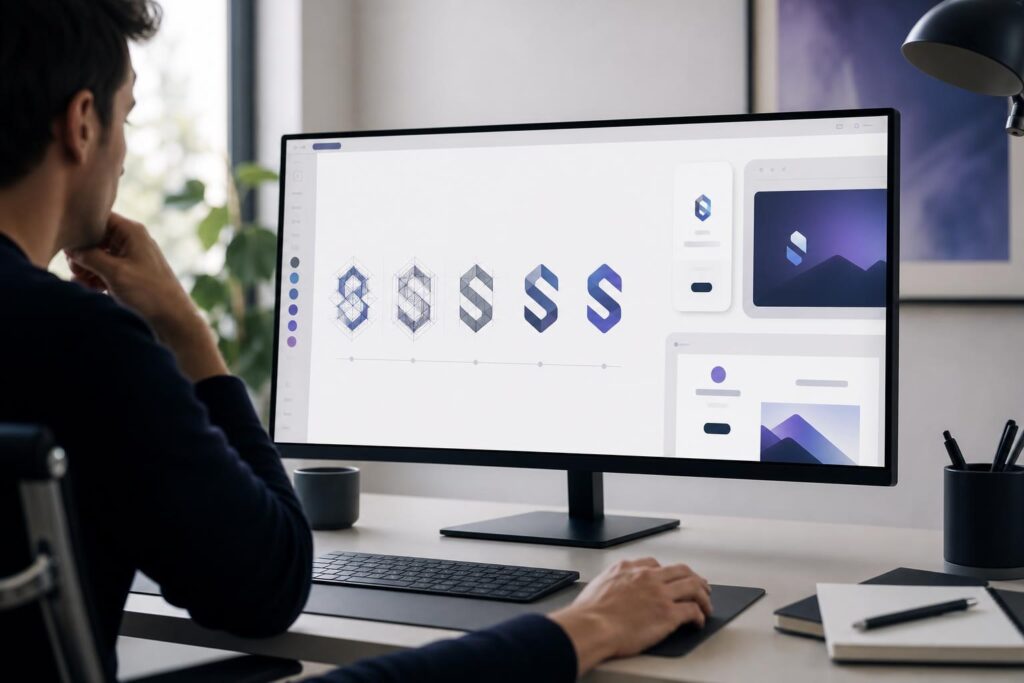
Your logo may appear beside a website headline, at the top of an invoice, inside a social profile and on a small mobile screen. If it needs generous space or a long explanation to work, it can create friction at the exact moment a potential customer is deciding whether your business feels clear and credible.
That does not mean every business should use a plain wordmark or remove every distinctive detail. A logo supports conversion when it helps people recognize the business, understand its character and continue toward the next action. Simplicity is useful when it makes those jobs easier—not when it makes the brand generic.
Here is how to decide when a simple logo is likely to work better, what complexity is worth keeping and how to refine a concept without stripping away its identity.
How logo complexity can interfere with conversion
A logo rarely closes a sale by itself. Its role is more subtle: it contributes to the visual conditions in which a visitor decides whether to keep reading, view an offer, request a quote or make a purchase.
A complicated logo can interfere with that path when it introduces one or more of these problems:
- Fine details disappear at navigation-bar or social-avatar size.
- Multiple symbols compete for attention instead of creating one recognizable idea.
- Decorative typography makes the business name difficult to read.
- Too many colors conflict with buttons, photography or page messaging.
- A tall or irregular shape forces an oversized website header.
- The design tries to explain every service rather than identify the brand.
These issues increase visual effort. A visitor should not need to decode a roof, wrench, leaf, shield, phone and company initials before understanding that they have reached the right business.
A simpler logo reduces that effort by establishing a clear hierarchy: one name, one primary visual cue and a controlled color system. That leaves more attention for the value proposition and conversion action.
When a simple logo is more likely to perform better
Your logo will often appear at small sizes
Local services, creators, ecommerce brands and software startups frequently use logos in compact digital spaces. Navigation bars, browser icons, profile images and mobile layouts leave little room for intricate illustrations.
If the logo becomes a colored blur when reduced, simplification is practical rather than stylistic. A readable wordmark, strong monogram or clean symbol can maintain recognition without requiring more screen space.
Your offer already requires explanation
A new service, technical product or unfamiliar business model may need a headline, supporting copy and demonstration before the visitor understands it. The logo should not add another puzzle.
For example, a startup with a new type of workflow product may benefit from a restrained logo while the website does the heavier explanatory work. Conversely, a straightforward landscaping company might use a slightly more descriptive symbol because the category is immediately familiar.
Your website has one primary conversion goal
On a focused landing page, every prominent visual element competes with the main action. An oversized emblem with several colors and a detailed tagline can pull attention away from a booking form, product demonstration or purchase button.
A compact logo can still establish ownership and professionalism while allowing the offer and call to action to lead.
You need consistency across many touchpoints
Small teams rarely have time to manually rebuild the brand for every channel. A logo with fewer essential elements is generally easier to place on a website, proposal, social graphic, email signature or document cover without redesigning the surrounding layout.
This is one reason it helps to develop a concept with intended applications in mind. The Elite UI AI Logo Generator gives founders a guided way to explore logo concepts and refine a direction before building the rest of the visual presence.
When additional detail can still be valuable
Simple does not automatically mean effective. Removing too much can produce a mark that resembles countless other businesses in the same category. A useful logo needs enough character to feel intentional and identifiable.
More detail may be appropriate when:
- The business depends on heritage, craft or an expressive visual personality.
- An emblem will be used prominently on packaging, signage or merchandise.
- A specific symbol communicates a meaningful brand story.
- The logo is part of a broader identity system with simplified secondary versions.
- The primary audience expects a more formal, established or decorative aesthetic.
A specialty food brand, boutique hospitality business or independent maker may reasonably choose a richer emblem. The key is to distinguish meaningful detail from decoration added because the design feels unfinished.
You can also use different logo configurations without changing the core identity. A detailed primary emblem might be paired with a simpler wordmark or icon for constrained spaces. What matters is preserving recognizable elements across each version.
A five-part test for simplifying your logo
Instead of asking whether the logo looks simple enough, test whether every element earns its place.
- Reduce it to mobile-header size. Can you still read the name and identify the primary shape without zooming?
- View it in one color. If the concept collapses without gradients or several colors, its underlying structure may need work.
- Remove one element at a time. Delete a border, tagline, icon or decorative stroke. If the meaning and recognition remain, that element may not be necessary.
- Compare it with the page action. Place the logo in a basic website header. Does it support the hierarchy, or does it compete with the headline and button?
- Ask what someone remembers. After a brief look, can a person describe one distinctive feature? If they remember only “there was a lot going on,” the concept needs a clearer focal point.
Run these checks on two or three directions rather than polishing the first idea immediately. Comparing alternatives makes it easier to see whether a favorite detail is genuinely useful or merely familiar.
A practical workflow for creating a clearer concept
1. Define the impression before the imagery
Choose two or three qualities the identity should communicate, such as precise, approachable and modern. Avoid a long list of conflicting adjectives. A luxury, playful, rugged, minimalist and traditional logo has no coherent direction.
2. Select one primary logo idea
Decide whether the concept will lead with the business name, initials or a symbol. You can create variations later, but the first direction needs a clear center.
A real estate advisor might prioritize a confident name-based mark rather than adding a house, key, skyline and location pin. A children’s creator brand could support more expressive lettering, but still benefit from one dominant visual motif.
3. Generate distinct directions, not minor variations
Explore options that solve the problem differently: a wordmark, a monogram and a symbol-led concept. Changing only the shade or moving the same icon does not reveal which structure best fits the business.
4. Evaluate concepts in context
Do not judge the logo only when it is centered on a blank canvas. Place it mentally—or in a mockup—inside a website header, social profile and customer-facing document.
If your next step is building the business site, the AI Website Builder can help turn the visual direction into a conversion-focused, mobile-ready presence. Keep the logo decision connected to the experience customers will actually use.
5. Refine rather than continuously adding
When a concept feels incomplete, first improve its proportions, spacing, type choice or focal point. Adding another icon is rarely the only solution. Refinement often comes from making the core idea more deliberate.
Is an AI logo generator the right fit?
An AI logo generator is useful when you need to move from a vague brand idea to visible concepts, compare several directions or establish an initial identity for a business launch. It can also help a founder communicate preferences before seeking custom design support.
It may not be the final step when the business needs extensive trademark evaluation, a highly bespoke illustration, a complex identity architecture or detailed brand governance. Those situations can benefit from specialized legal or design expertise. A self-serve generator is best understood as a faster concept and refinement workflow—not a replacement for every professional decision.
Common objections before simplifying a logo
Will a simple logo look cheap or unfinished?
Not if the simplicity is intentional. Poor spacing, weak typography and arbitrary shapes can make any design feel unfinished, whether it contains two elements or twenty. The goal is controlled simplicity: a strong structure, readable name and distinctive detail that supports the brand.
What if competitors also use simple logos?
Do not copy the category’s most common combination without examining it. If every local contractor uses the same roofline and blue lettering, removing detail alone will not create distinction. Explore a different typographic personality, composition or relevant visual idea while retaining clarity.
Should the logo explain what the business does?
It can provide a category cue, but it does not need to tell the entire story. Your business name, website headline, imagery and supporting copy work together. Asking the logo to communicate every service usually creates unnecessary complexity.
Choose the simplest concept that still feels like your business
A simple logo is more likely to support conversion when it remains readable at small sizes, fits naturally into the customer journey and directs attention toward the offer rather than itself. The best choice is not the design with the fewest elements. It is the one with the fewest unnecessary elements.
Start with a clear brand impression, explore genuinely different directions and test each concept where customers will encounter it. When you are ready to turn that thinking into visual options, use Elite UI to generate and refine a focused concept. Create Your Logo
Ready to Turn This Into a Faster Workflow?
Try AI Logo Generator inside Elite UI and move from research into a real business-ready result.
Product features, pricing, plan details and availability may change. Check the current Elite UI product page for the latest information before purchasing or publishing.


































